Workato For Developers

Build on Workato Enterprise MCP

Deploy reliable workflows that connect enterprise systems, orchestrate business processes, and expose trusted capabilities to AI applications. Build with recipes that coordinate systems, data, and logic.
Terminal - V2

Why developers choose Workato

Connect systems. Skip the plumbing.

Developers shouldn't spend time managing auth flows, retries, token refreshes, and integration
failures. Workato handles the operational complexity so you can focus on the workflow.

  • connect-icon

    Connect systems faster

    Use 1,000+ pre-built connectors with authentication, retries, rate-limit handling, and error recovery built in.

  • authenticate-icon

    Authentication handled

    Workato manages OAuth, token refresh, secrets, SSO, and access controls, so your applications and agents don't have to.

  • orchestrate-icon

    Orchestrate more with fewer calls

    Coordinate workflows across systems through a single recipe instead of managing dozens of API calls, states, and failure paths yourself.

  • control-icon

    Visibility and control for MCP

    Manage MCP tools and workflows from a single control plane with built-in visibility, governance, and traceability.

Get Started

Start Building

  • Join the Community

    Connect with other developers building on Workato. Share recipes, ask questions, and follow what the Labs team ships next.

    Join on Slack
  • workato labs

    Tools you and your coding agents will love

    Build, validate, visualize, and deploy recipes using a developer-first toolchain designed for modern IDEs and AI-assisted development.
    Hero Labs
    Step 1
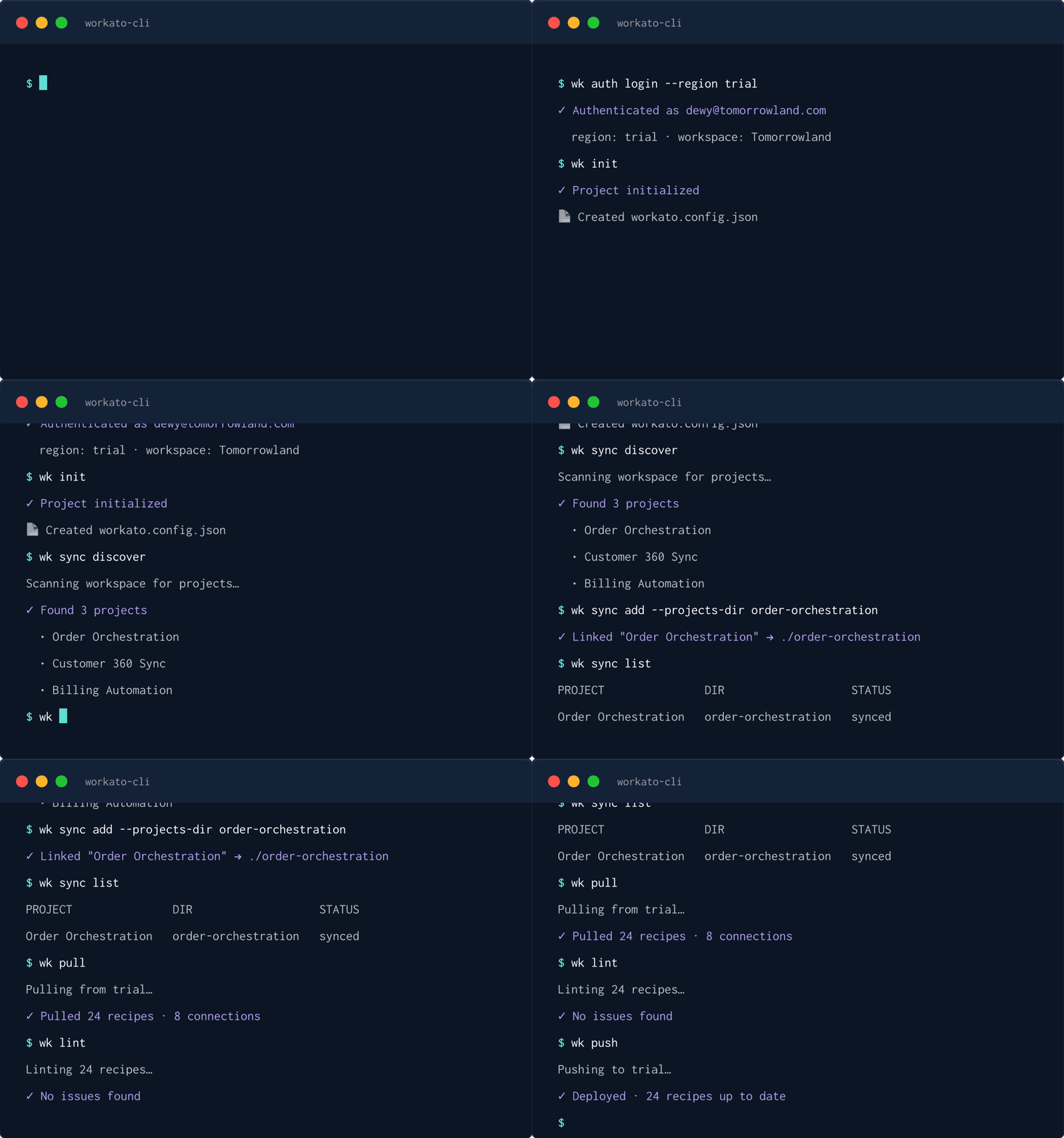
    Create with wk CLI

    Work with Workato directly from the terminal to pull recipes, make changes locally, generate workflows with coding agents, and deploy without opening the UI.

    Step 2
    Validate with Recipe Linter

    Catch issues before deployment. Built-in rules verify recipe structure, datapills, control flow, and references so problems are identified early in development.

    Step 3
    Build faster with
    Workato Developer Skills

    Give coding agents the context they need to generate accurate Workato recipes. Connector knowledge, validated templates, and platform-specific guidance help AI tools produce higher-quality workflows.

    Step 4
    Review with Recipe Visualizer

    See exactly what will run in production. Render recipe JSON as an interactive workflow diagram directly inside your IDE before deployment.

    See it in action

    Enterprise Orchestration at Scale

    Trusted by 50% of the Fortune 500 + 25,000 teams worldwide